
When shipping major system updates, every SRE and Backend Engineer’s biggest fear is: “Will this deployment cause connection drops or data loss for live users?”
For high-scale enterprise platforms (telecom, public service portals, e-commerce), maintenance windows like “System offline for maintenance between 12 AM and 2 AM” are no longer acceptable. The industry standard is Zero-Downtime Deployment.
This article covers the two core pillars required to achieve true zero-downtime on Kubernetes:
- Canary Release Strategy on Kubernetes via Traffic Splitting.
- Expand-Contract Pattern for zero-downtime Database Migration.
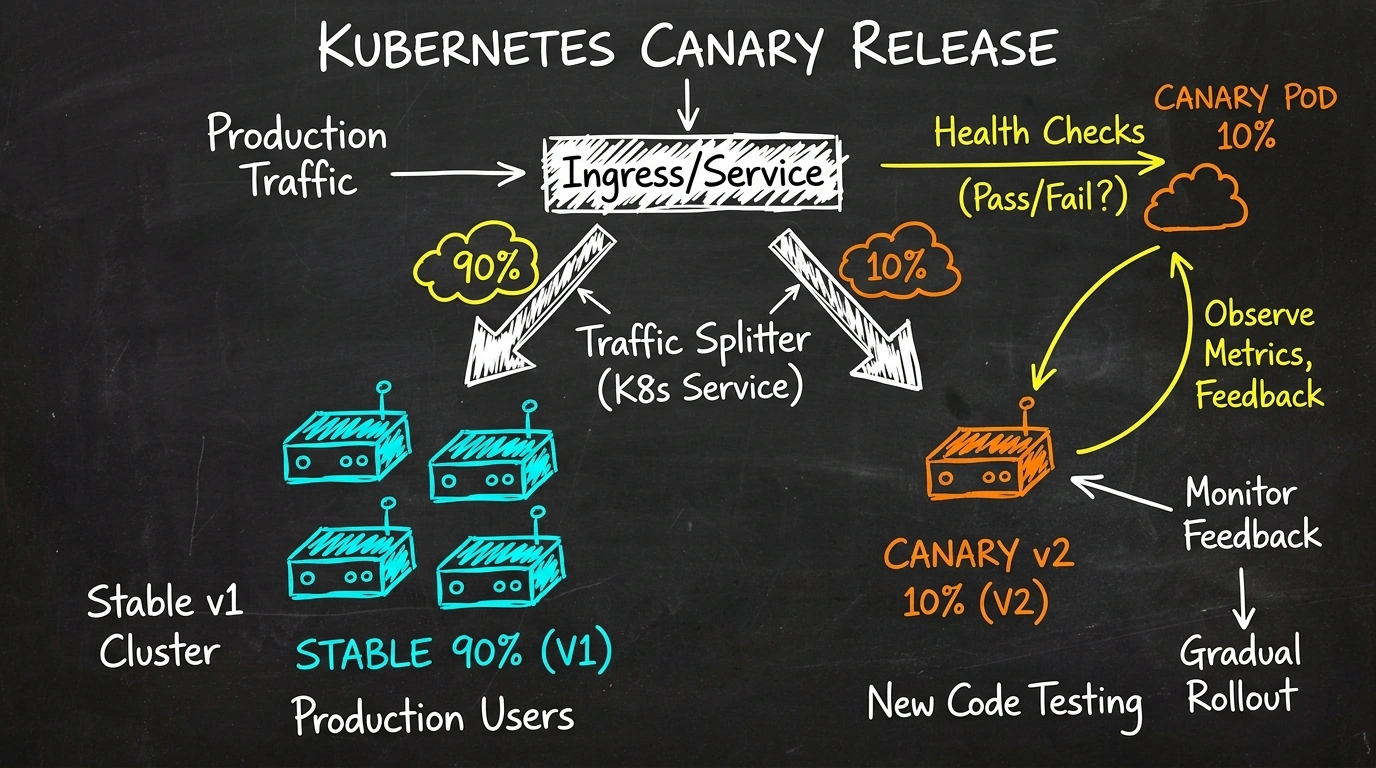
1. Kubernetes Canary Release: Incremental Traffic Shifting
Standard Kubernetes Rolling Updates replace pods gradually, but they lack a crucial safety net: verifying whether the new version ($V_2$) is healthy under real production traffic before switching everything over.
Canary Release routes a tiny slice (e.g. 5% - 10%) of live production traffic to $V_2$. By observing SLOs, error rates, and p99 latency, engineers can safely roll forward to 50% and 100%, or abort instantly if issues arise.
Traffic Splitting via Ingress Controller
Using Nginx Ingress Controller, you can configure Canary deployments cleanly via the canary-weight annotation:
# 1. Stable Version Deployment (v1)
apiVersion: apps/v1
kind: Deployment
metadata:
  name: order-service-v1
spec:
  replicas: 5
  selector:
    matchLabels:
      app: order-service
      version: v1
  template:
    metadata:
      labels:
        app: order-service
        version: v1
    spec:
      containers:
      - name: app
        image: registry.vndo.vn/order-service:v1.9.0
---
# 2. Main Ingress routing 90% traffic to v1
apiVersion: networking.k8s.io/v1
kind: Ingress
metadata:
  name: order-service-main
spec:
  ingressClassName: nginx
  rules:
  - host: api.vndo.vn
    http:
      paths:
      - path: /api/v1/orders
        pathType: Prefix
        backend:
          service:
            name: order-service-v1-svc
            port:
              number: 8080
---
# 3. Canary Ingress routing 10% traffic to v2
apiVersion: networking.k8s.io/v1
kind: Ingress
metadata:
  name: order-service-canary
  annotations:
    nginx.ingress.kubernetes.io/canary: "true"
    nginx.ingress.kubernetes.io/canary-weight: "10"
spec:
  ingressClassName: nginx
  rules:
  - host: api.vndo.vn
    http:
      paths:
      - path: /api/v1/orders
        pathType: Prefix
        backend:
          service:
            name: order-service-v2-svc
            port:
              number: 8080
2. K8s Readiness & Liveness Probes: The Gatekeepers
If a container starts up but isn’t ready to serve requests (e.g. JVM warm-up, DB connection pool initialization), K8s might prematurely route traffic to it, producing $502 / 503$ errors.
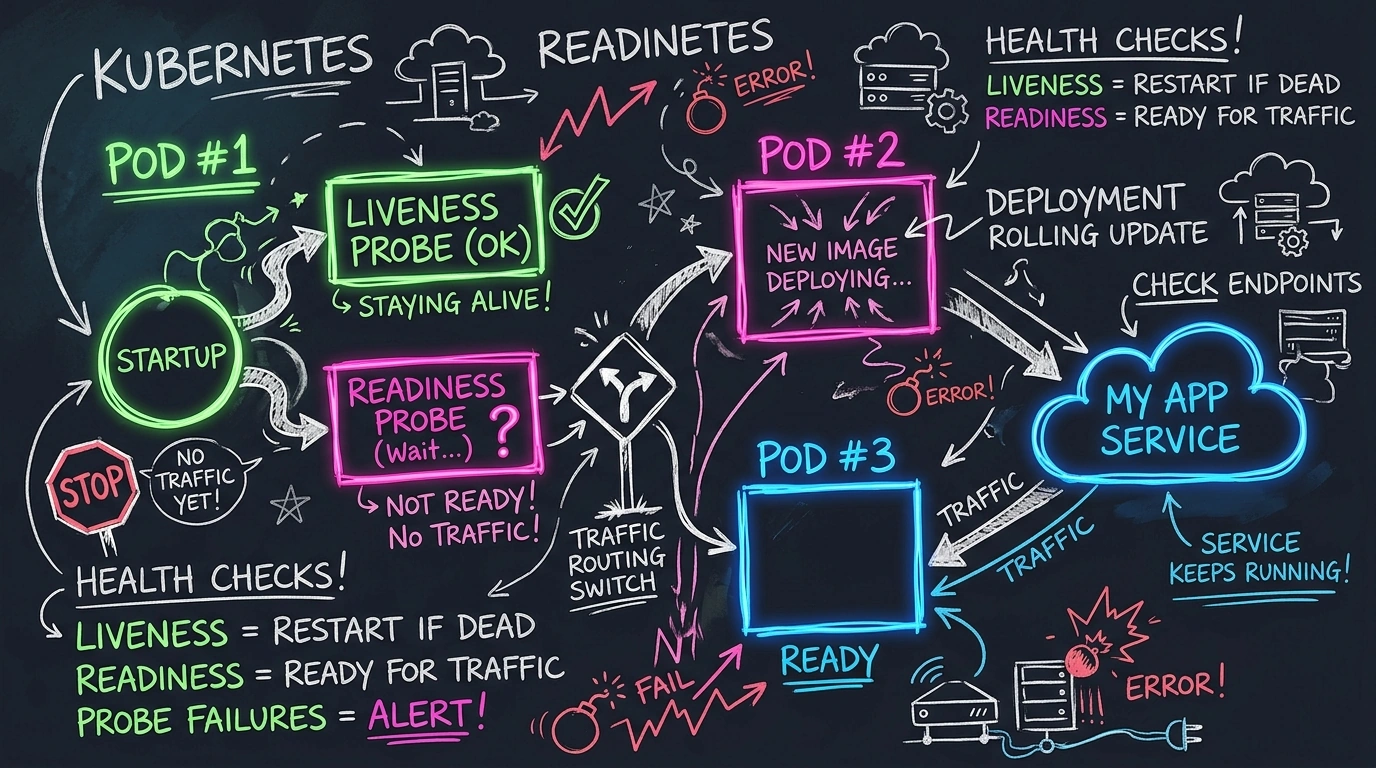
Production Best Practices for Health Checks:
- Startup Probe: Gives the container time to boot up without being killed early by liveness probes.
- Readiness Probe: Verifies HTTP 200 on
/healthz/ready. If failed, K8s immediately removes the pod from service endpoints! - Graceful Shutdown (
terminationGracePeriodSeconds): CatchesSIGTERMto allow ongoing HTTP requests to complete before terminating.
readinessProbe:
  httpGet:
    path: /healthz/ready
    port: 8080
  initialDelaySeconds: 5
  periodSeconds: 3
  failureThreshold: 2
livenessProbe:
  httpGet:
    path: /healthz/liveness
    port: 8080
  initialDelaySeconds: 15
  periodSeconds: 10
terminationGracePeriodSeconds: 30
3. The Biggest Challenge: Zero-Downtime Database Migrations
Stateless services are simple to update, but Stateful Databases require careful handling.
Suppose $V_1$ uses a users table with a full_name column, while $V_2$ splits it into first_name and last_name. Executing ALTER TABLE DROP COLUMN full_name during rollout will immediately break active $V_1$ pods with Column not found SQL exceptions.
The Expand-Contract Pattern (Parallel Change Pattern) solves this in 3 phases:
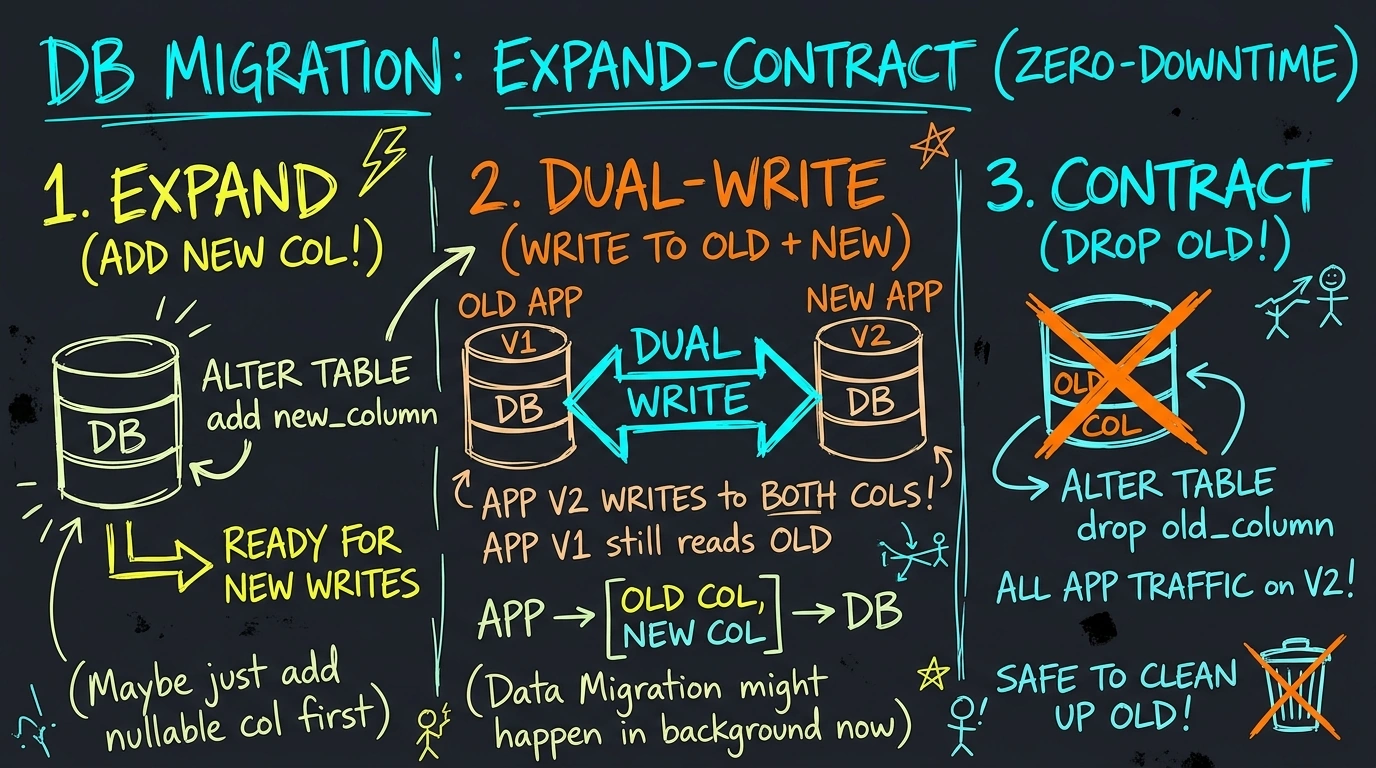
Phase 1: Expand
- Add nullable new columns
first_nameandlast_name. - Retain existing
full_namecolumn. - Deploy $V_2$: Application reads from
first_name/last_nameif available, falling back tofull_name. - Dual-write: New writes update both old and new columns.
Phase 2: Backfill
- Run a background script to convert old records from
full_nametofirst_name+last_name. - Since new writes cover both formats, backfilling runs asynchronously without disrupting live traffic.
Phase 3: Contract
- Once 100% of traffic is on $V_2$ and all historical data is backfilled, release $V_2.1$ removing fallback logic.
- Execute SQL migration:
ALTER TABLE DROP COLUMN full_name.
4. Automated Rollbacks on Anomaly Detection
On-call engineers shouldn’t manually watch dashboards at 2 AM to trigger rollbacks. Automating rollbacks based on Prometheus metrics ensures rapid mitigation.
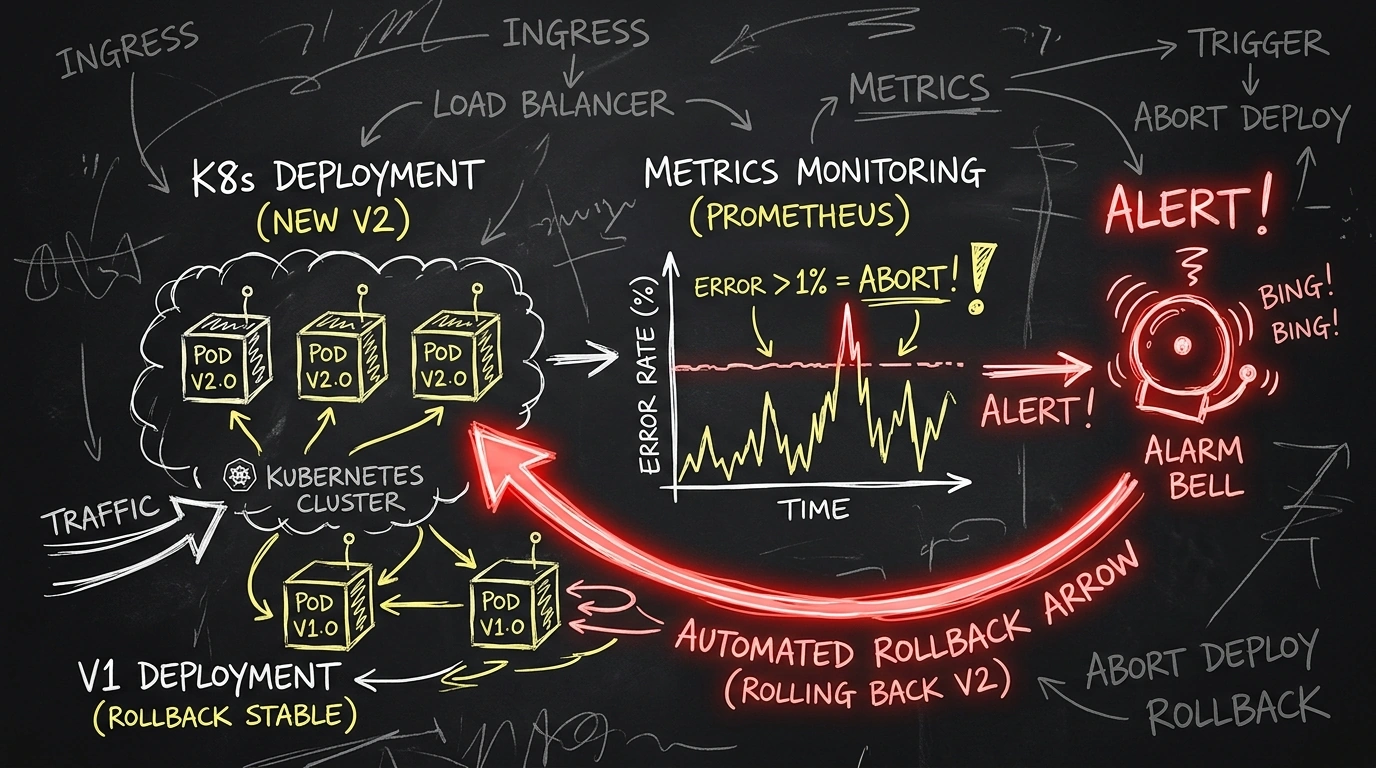
Using tools like Argo Rollouts or Flagger, declarative metric analysis can trigger automated aborts:
apiVersion: argoproj.io/v1alpha1
kind: AnalysisTemplate
metadata:
  name: success-rate
spec:
  metrics:
  - name: success-rate
    interval: 30s
    successCondition: result[0] >= 0.99
    failureLimit: 3
    provider:
      prometheus:
        address: http://prometheus-k8s.monitoring:9090
        query: |
          sum(rate(http_requests_total{status!~"5.*",app="order-service"}[2m]))
          /
          sum(rate(http_requests_total{app="order-service"}[2m]))
If the success rate drops below 99% over 3 checks, Argo Rollouts automatically aborts the canary release and reverts 100% of traffic back to $V_1$ in seconds!
Summary Checklist
| Checklist Item | Target State | Anti-pattern to Avoid |
|---|---|---|
| API Backward Compatibility | Maintain non-breaking API contracts | Renaming JSON fields directly |
| K8s Health Probes | Configure Startup, Readiness, Liveness | Omitting Readiness Probe |
| DB Migration | 3-step Expand - Backfill - Contract | Destructive DROP COLUMN on active DB |
| Graceful Shutdown | Listen for SIGTERM and drain connections |
Abrupt process kill |
| Observability | Automated metrics analysis & auto-rollback | Manual unmonitored releases |
Comments (0)